
USB Video Conferencing
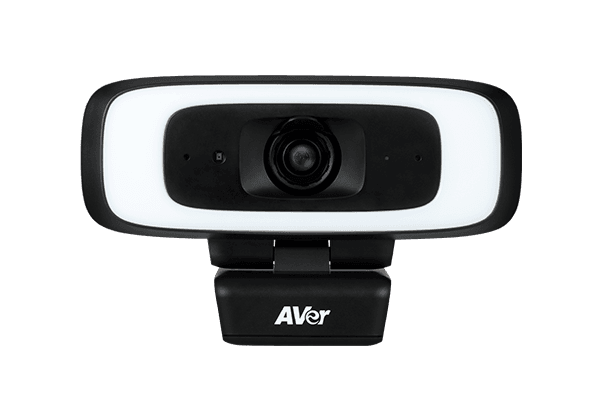
CAM130 Content Camera
4K Camera for whiteboard and IFP collaboration
Better Real-Time Whiteboard and IFP Capturing
Product views
Overview
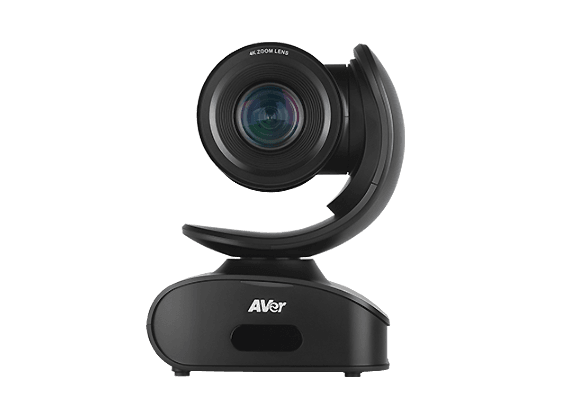
Featuring an ultra-high quality 4K Sony WDR sensor a 120-degree wide angle lens, 5X digital zoom, sharing content on a whiteboard or an IFP has never been easier. Share important content virtually and instantly without compromising on the quality of your communication.
Microsoft Double Certification
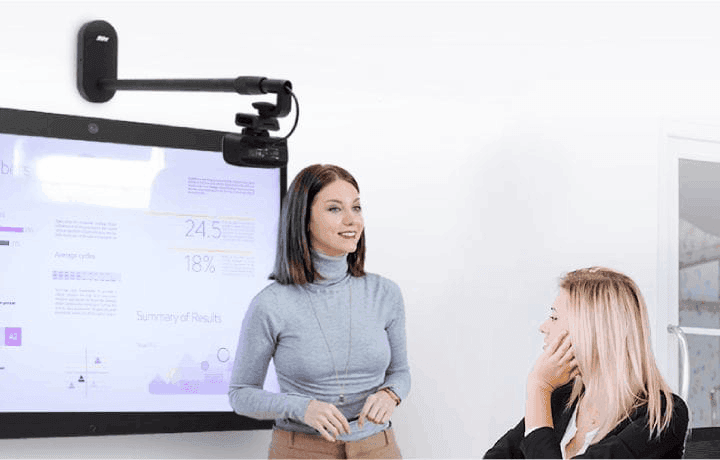
Thanks to the CAM130’s all-new Microsoft Double Certification, Microsoft Teams Rooms works together and switches seamlessly between conferencing and content camera mode, facilitating all kinds of virtual communication.
Premium Quality Components
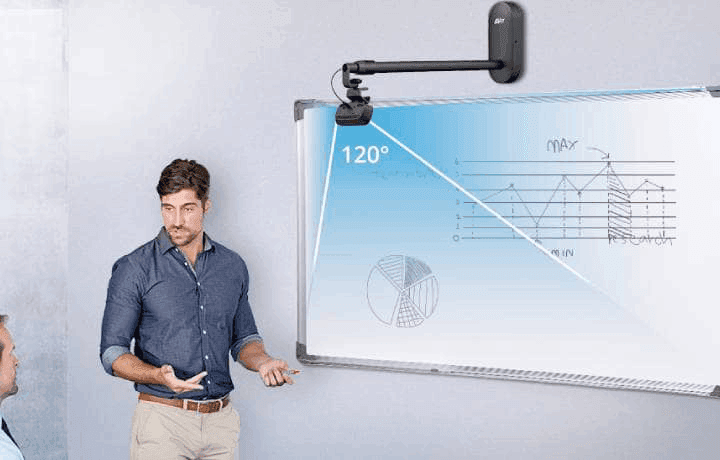
Experience professional 4K quality with a Sony WDR sensor for only the most premium content sharing experience. A 120-degree viewing angle means no content will be out of frame and 5X digital zoom capabilities deliver wide, yet precise viewing of content. Turn around the camera and experience the same quality for virtual conferences.
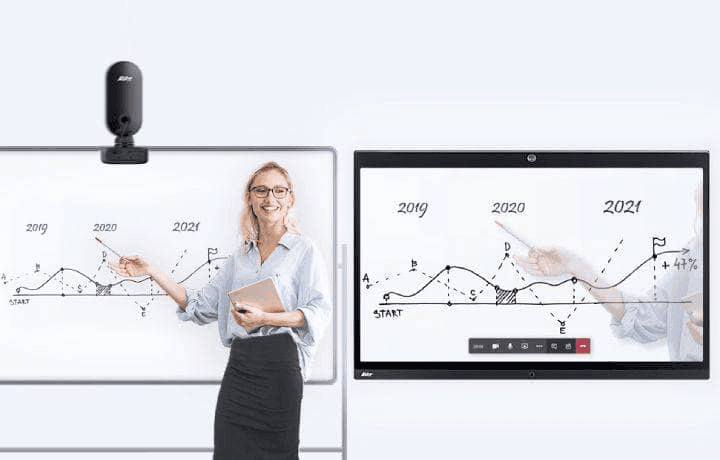
Effortless Whiteboard Sharing
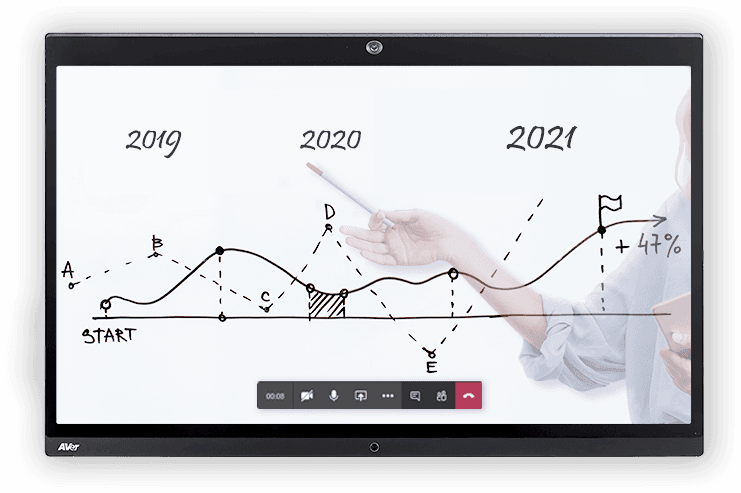
Deliver information effortlessly through the CAM130 Content Camera’s automatic whiteboard reframing function, making it possible to easily share clear content no matter the angle. Thanks to Microsoft Teams Content Camera Certification AI, whiteboard sharing is automatically sharpened, and presenters are made translucent when standing in front of whiteboard content.
Visible Flicker Decreases
Clear out annoying black flickers common when recording IFP displays with smart AVer flicker removal technology. Sharp content sharing no longer discriminates between electronic and non-electronic whiteboards.* * Please download PTZApp 2 to setup these features. (Free of charge)
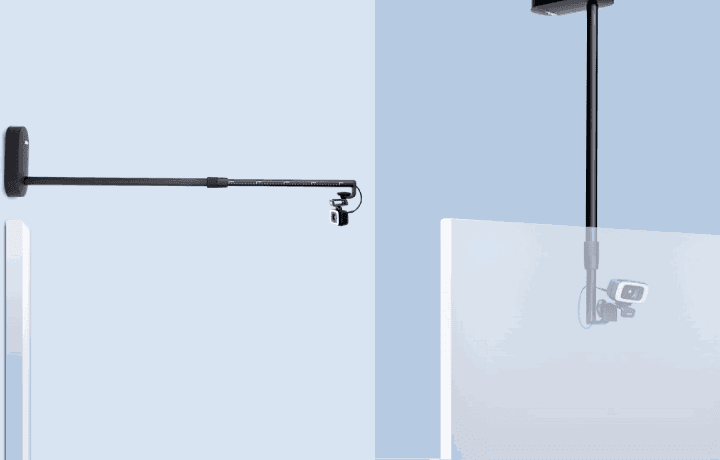
Flexible Installation Options
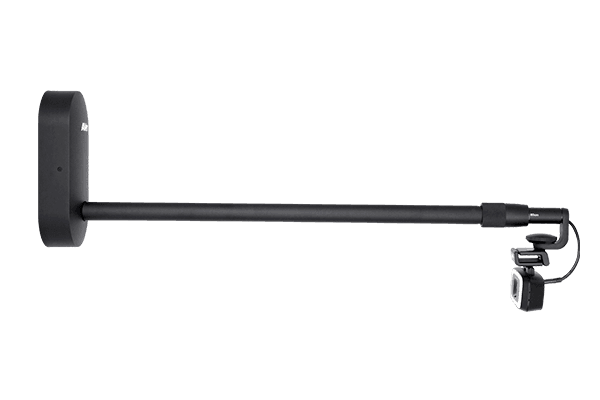
Install easily and conveniently using the optional adjustable-length whiteboard mount add-on, thoughtfully designed to meet the needs of any room or whiteboard. Featuring robust construction and generous cable space, the AVer wall mount is a perfect match for the CAM130 Content Camera.


Additional Conferencing Functionality
Need to change over to a video conference? Look professional with the CAM130’s lighting system while protecting privacy with a built-in lens cover.
Product Overview
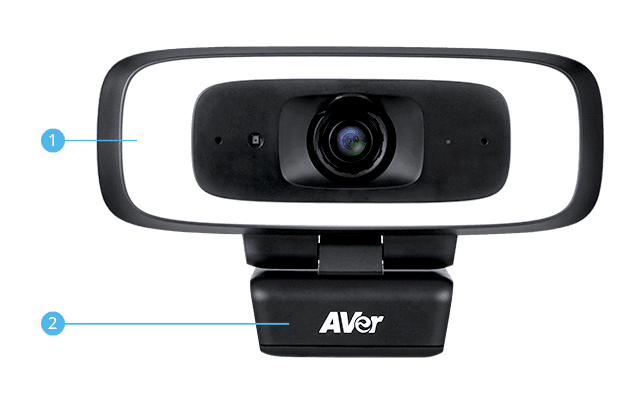
- 1
- Fill light
- 2
- Built-in TV clip
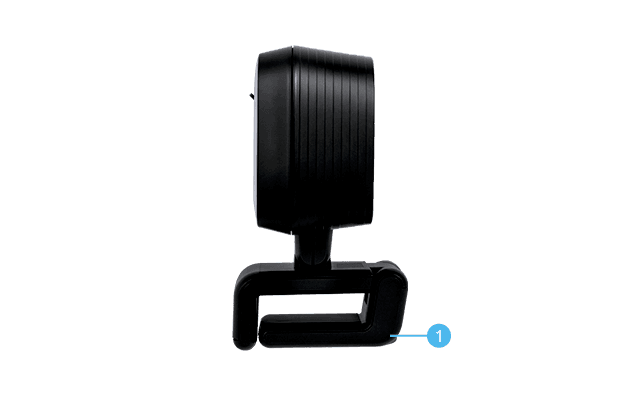
- 3
- Tripod screw hole
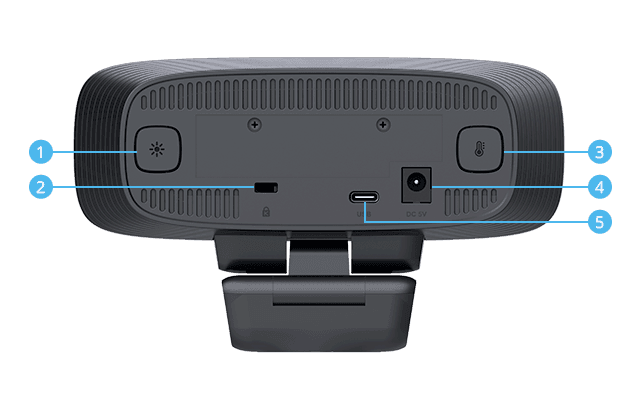
- 4
- Light level Button
- 5
- Kensington slot
- 6
- Color temperature Button
- 7
- DC 5V
- 8
- USB 3.1 Type-C
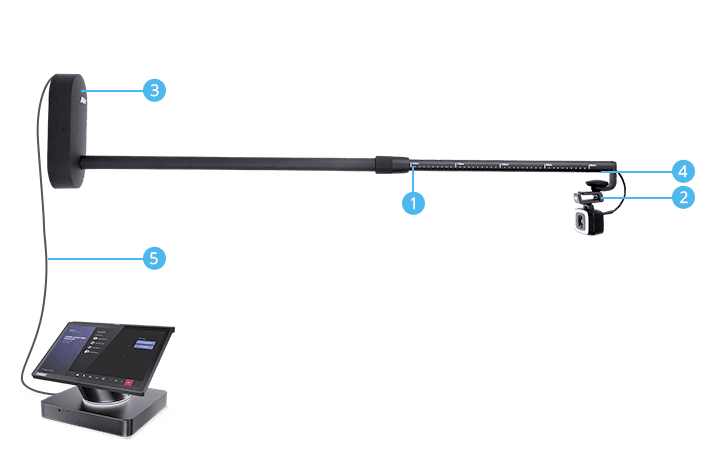
- 9
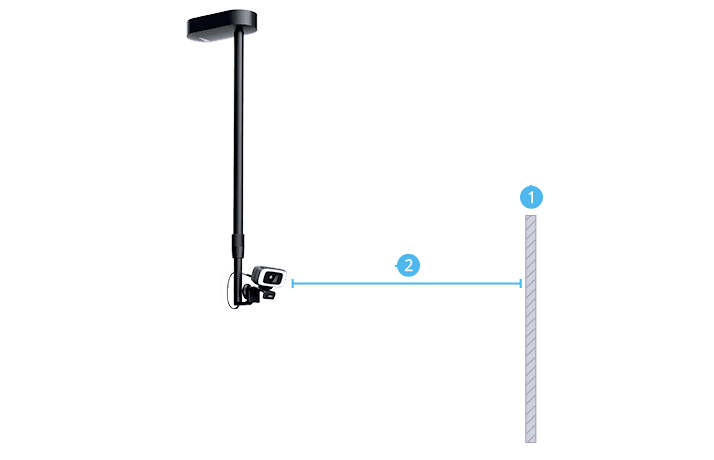
- Adjustable length: 80~120 cm
- 10
- Camera angle adjustable
- 11
- Cable box to accommodate USB extender
- 12
- USB type C cable connects to CAM130
- 13
- Connect the USB3.1 extender to MTR system
- 14
- Whiteboard
- 15
- >100 cm
Specifications
Camera Product Specifications
| Camera | 4K optical lens, 120° FOV, up to 5X zoom* Sony 4K sensor: ultra-crystal-clear image in any lighting Frame rates: Content Camera: 1080p/ 720p at 30, 15, 8fps Conference Camera: (16:9) 4K 30fps ; 1920 x 1080, 1600 x 900, 1280 x 720, 960 x 540, 848 x 480, 800 x 448 (4:3) ; 1280 x 960, 800 x 600, 640 x 480 at 60, 30, 15fps AI whiteboard detection: Keystone correction** to auto find, crop and enlarge whiteboard/ IFP to full screen AI whiteboard content enhancement**: clearer text, improved marker color visibility and readability; People will be translucent while in front of the whiteboard IFP flicker decrease* Intelligent fill light***: 12-level lighting to help content capture in any kinds of environment True WDR up to 120db: 3D noise-reduction and superb backlight compensation optimize lighting in high-contrast conditions Mirror, flip, AE, white balance: auto/manual override via PTZApp 2 Minimum focus distance: 60 cm Standard tripod screw holes * Please use PTZApp 2 to set up 5X Zoom. ** AI whiteboard content enhancement function is only available in Microsoft Teams app. *** For best lighting results, please sit within 1 meter away from the camera. |
|---|---|
| Microphone* | 2 unidirectional microphones Frequency response: 100 – 12K Hz Sensitivity: -37 dB Support noise-reduction & Echo cancellation * The microphone is off by default. Please use PTZApp 2 to set it up. |
| Connectivity | USB type-C 3.1 connector, backwards compatible with USB 2.0 DC jack for power adapter (for USB 2.0 connection while using fill-light function) |
| Video Format | YUV, YUY2, MJPEG |
| USB | 3.1 Gen 1, backward compatible with USB 2.0 UVC 1.1 (USB video), UAC 1.0 (USB audio) |
| Control | IR remote control UVC/UVA plug-and-play PTZApp 2 |
| Security and Mount | Built-in TV clip Kensington slot 1/4" tripod mounting screw |
| System Requirements | Windows® 7/10/11 MacOS 10.14 or later Chromebox 3 version 94.0.4606.114 or later |
| Hardware Specs | 3.2 GHz Intel® Core™ i5-4460 processor 4 GB RAM or more USB 3.1 port, backward compatible with USB 2.0 |
| Power Supply | AC 100V–240V, 50/60 Hz 5V/2A |
| Free Applications for Meeting Collaboration (For Windows® and Mac® computers) | EZManager 2: Camera Central Management Software Remotely group FW/SW upgrades, control the camera, and manage settings PTZApp 2: Camera Settings Software View live video, control the camera, upgrade firmware automatically or manually Set parameters and adjust the camera image EZLive: Broadcasting Software Enjoy multi-camera real-time streaming, annotating, image capturing, and video recording |
| Environmental Data | Operation temperature: 0 to 40°C Operation humidity: 20% to 80% Storage temperature: -20 to 60°C Storage humidity: 20% to 80% |
| Dimensions | CAM130 content camera bundle package Package dimensions:860(L)*166(W)*234(H) mm Package weight: 4.7kg |
| Package Contents | CAM130 Content Camera Bundle Package CAM130 content camera unit USB 3.1 type-C to type-A cable (6 ft/1.8 m) QR code card Tripod screw USB 3.1, 10 meters fiber extender* Whiteboard mount Remote control Power adapter** * This extender only supports USB3.0 port of PC. Make sure your PC or MTR has USB3.0 port. Otherwise, please purchase USB2.0 extender from the market, such as the Aten UE2120. Please check our compatibility list before purchasing. aver.com ** Power adapter is only required while connecting to PC USB2.0 port and using the fill-light at the same time. |
| Warranty | Camera: 3 years* Accessories: 1 year * We offer optional 2-year extended warranty in European area. |
| Compatible Applications | Zoom, Microsoft® Teams, Skype, Skype for Business, Google Meet, RingCentral, BlueJeans , Intel® Unite™, Fuze, Adobe® Connect™, CyberLink U Meeting®, Cisco WebEx® GoToMeeting™, LiveOn, Microsoft® Lync™, TrueConf, V-Cube, Vidyo, vMix, WebRTC, Wirecast, XSplit |
Whiteboard Mount Specifications
| Material | Top case: plastic Base case: metal Rod: Aluminum |
|---|---|
| Installation tips | Mount the mount base 3cm above whiteboard/ IFP The supported maximum whiteboard size is 2m (L) x 1.2m (H) when mounting above whiteboard To capture a whiteboard which is more than 2m (L), please install the mount on the ceiling Please adjust camera angle to completely capture the frames of the whiteboard/IFP On full wall whiteboards, you can use dark-colored tape to create frames on top/bottom/left/right to define a content area |
| Whiteboard size and rod length | Wall mount Mount 3cm above the center of the board Whiteboard size(L) < 1.2 meter: Rod length 80cm Whiteboard size(L) 1.2~1.7 meter: Rod length 100cm Whiteboard size(L) 1.8~2 meter: Rod length 120cm Ceiling mount Install the mount on the ceiling and the location is in front of central top of the board. It is suggested to place the camera at least 1 m away from the board to ensure complete capturing of the board frames Whiteboard size(L) Any size: Rod length 80~120cm |
More from this range
View the range →
Interested in this product?
Request a quote: our team will confirm availability, compatibility and a deployment plan.